Post Faceless Videos on LinkedIn Without Showing Your Face
LinkedIn is quietly rewarding native video. Here is how to post faceless short videos on a rhythm, without a camera, a studio, or your own face on screen

Stefano Ventrudo
CTO at Faceless Lab
You can build real reach on LinkedIn with short video and never once point a camera at yourself.
Can you actually grow on LinkedIn with faceless videos, or does the platform only reward people who film talking-head selfies? We get this question a lot, because LinkedIn has spent the last two years pushing native video hard, and a lot of people feel locked out of that reach the moment a camera is involved. The good news is that faceless LinkedIn videos work, and in some niches they work better than a face, because the viewer stays focused on the idea instead of on you. This guide walks through the format, the workflow, and the posting rhythm that make it happen.
Executive Summary
LinkedIn now surfaces native short video in the main feed and rewards accounts that post it consistently, which means you can grow without ever going on camera. A faceless LinkedIn video is a short, tightly scripted clip with a strong text hook, clean visuals, a natural voiceover, and burned-in captions, built to make a single point a busy professional can absorb in under a minute. The hard part is not any one video, it is posting two or three a week for months without burning out, and that is exactly where an AI workflow earns its place: you supply the idea and the angle, the tool handles script, voice, visuals, music and captions, and you keep a rhythm you can actually sustain.
Table of Contents
- Why LinkedIn is quietly rewarding faceless video
- What a faceless LinkedIn video should actually look like
- Turn one idea into a LinkedIn-ready faceless video inside Faceless Lab
- A posting rhythm that fits LinkedIn
- Where Faceless Lab is and isn't the right choice for LinkedIn
- Mistakes that keep faceless LinkedIn videos from landing
1. Why LinkedIn is quietly rewarding faceless video
For most of its life LinkedIn was a place for text posts and the occasional link. That changed. The platform built a dedicated video experience into the feed and started distributing native video to people well outside your immediate network, which is the behaviour creators recognise from short-form platforms. If you have watched your own feed lately, you have probably noticed more vertical clips showing up between the text updates.
Here is the part people miss. LinkedIn does not care whether your face is in the frame. It cares about watch time, saves, and whether a post keeps someone on the platform. A faceless video that makes one sharp point and holds attention for forty seconds does that job as well as any talking head.
The three reasons faceless works here
- The audience is skimming for value, not personality. People open LinkedIn to learn something useful for their work. A clean explainer clip delivers that faster than a face ever could.
- You remove the biggest reason people never start. Most professionals will not film themselves. Take the camera out of the equation and the only thing left is the idea, which is the part you are actually good at.
- It scales. A faceless format is repeatable. You can post three times a week without booking a shoot, fixing your lighting, or re-recording because you stumbled on a word.
2. What a faceless LinkedIn video should actually look like
LinkedIn is not TikTok. The audience is at work, the mood is more considered, and a clip that feels like a loud dance trend will get scrolled past. That does not mean boring. It means the value has to be obvious in the first line.

The anatomy of a clip that lands
- A text hook on the first frame. Most people watch with the sound off at first. The opening line of on-screen text has to promise something specific, like "The onboarding email that doubled our reply rate" instead of "Some thoughts on email."
- One idea, start to finish. A single tip, a single lesson, a single contrarian take. If you have three points, that is three videos.
- A natural voiceover. A calm, human-sounding narration carries the point for people who do turn the sound on. A robotic read breaks the professional feel instantly.
- Burned-in captions. Sound-off viewing is the default, so the words have to be on screen, synced, and easy to read on a phone.
- A quiet visual style. Clean b-roll, simple motion, restrained text. The visuals support the message, they do not fight it.
Length and format
- Aim for 30 to 60 seconds. Long enough to make a real point, short enough to finish. LinkedIn viewers give you attention, not patience.
- Vertical or square. Vertical (9:16) fills the mobile feed. Square (1:1) is a safe alternative if you also repurpose the clip elsewhere.
- End on a takeaway, not a hard sell. A closing line the viewer can repeat to a colleague is worth more than a "link in bio" on LinkedIn.
3. Turn one idea into a LinkedIn-ready faceless video inside Faceless Lab
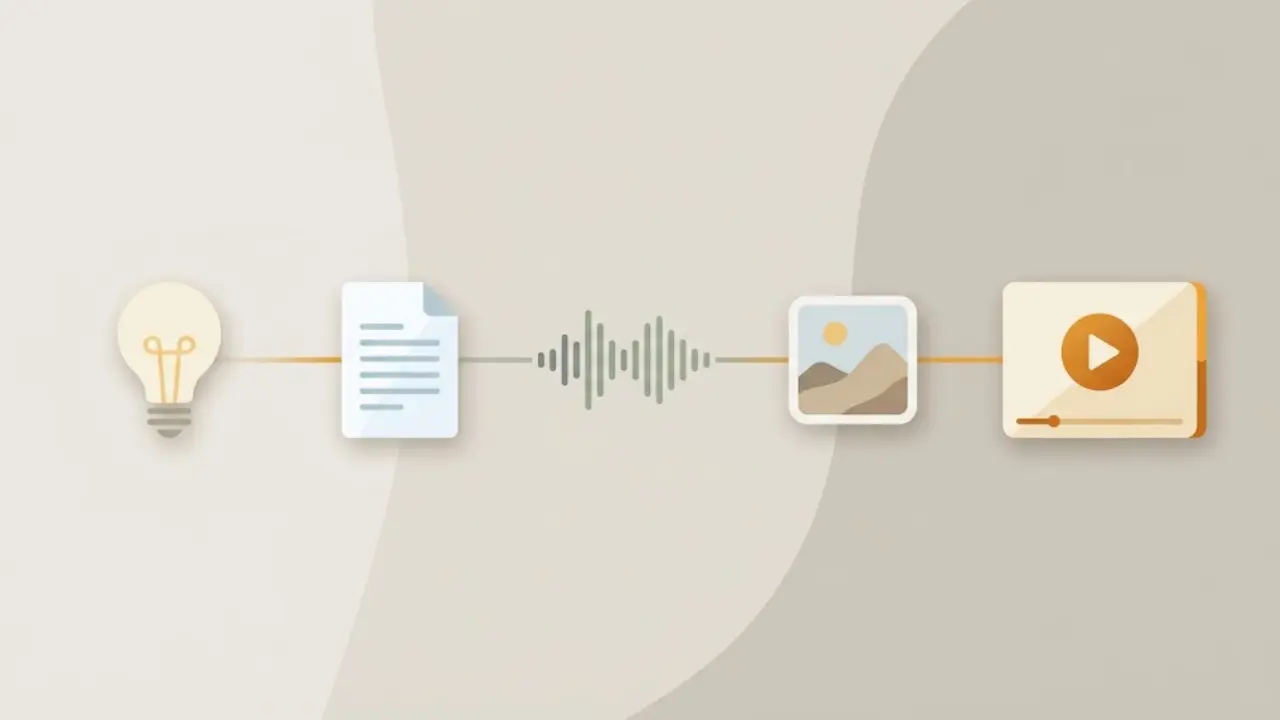
This is the part that turns a nice idea into something you actually post. Here is the exact flow we use to go from a topic to a finished, caption-ready clip.
Step by step
- Start from an idea or a script. Type the topic you want to cover, for example "why most B2B cold emails get ignored," or paste a script you already wrote. Faceless Lab builds a full script with a hook, body and closing line from there.
- Pick a structure. Choose one of the 8 built-in video structures. For LinkedIn, a "one lesson" or "myth versus reality" structure tends to fit the professional feed better than a fast listicle.
- Choose a voice. Pick from over 200 natural voices powered by ElevenLabs. For a business audience, a measured, clear voice reads as credible. You can preview before you commit.
- Set the visual style. Select from 39 visual styles and let the tool generate visuals that match your script, drawing on multiple models through Replicate. Lean toward the cleaner, more editorial styles for LinkedIn.
- Add captions and music. Faceless Lab generates synced subtitles automatically and picks fitting background music. Keep the music low and unobtrusive for this audience.
- Set the format to vertical or square so it sits well in the LinkedIn feed, then generate. Most videos are ready in a few minutes.
- Schedule and publish. Connect your account and let Faceless Lab publish and schedule your video to LinkedIn on the days you choose.
Do it on a series, not one clip at a time
The real unlock is Series. Give Faceless Lab a theme, like "one cold-email lesson per post," and it can produce a run of videos on that theme so you are not starting from a blank page every time. Pair that with Autopilot, our beta hands-off mode, and a week of posts can be queued in an afternoon.
💡 Ready to try it? Create your first faceless LinkedIn video free and see a finished clip in minutes.
4. A posting rhythm that fits LinkedIn
Consistency beats intensity on LinkedIn even more than on other platforms, because the feed rewards accounts that show up and the audience remembers names it sees often.

A rhythm you can hold
- Two to three videos a week is plenty. LinkedIn is not a daily-grind platform for most people. Quality and consistency matter more than raw volume here.
- Batch, then schedule. Make a week or two of clips in one sitting, then let them publish on a set schedule. This is the single habit that keeps people posting past month one.
- Post on weekdays, in working hours. Your audience is on LinkedIn around the workday. A great clip posted at midnight on a Saturday quietly disappears.
- Repurpose across platforms. The same faceless clip, reformatted, can also run on YouTube Shorts or Instagram Reels. One idea, several feeds.
Keep the topics tied to your work
The videos that grow a professional account are the ones only you could make. Pull topics from the questions clients actually ask, the mistakes you see in your field, and the lessons you learned the expensive way. The faceless format removes the camera, it does not remove your expertise.
5. Where Faceless Lab is and isn't the right choice for LinkedIn
We would rather you pick the right tool than the wrong one and churn, so here is the honest version.

Where it fits well
- You want to post video consistently and you will not film yourself. This is the core case. The whole workflow exists to remove the camera and the editing grind.
- Your value is in ideas and expertise. Explainer clips, lessons, myth-busting, quick frameworks. Faceless Lab turns those into finished video fast.
- You are also on other short-form platforms. Faceless Lab publishes and schedules to LinkedIn, YouTube, Instagram and Facebook, so one workflow feeds several feeds.
Where it is not the right fit
- You are building a personal brand on your face. If your growth strategy is people connecting with you on camera, a faceless tool is the wrong instrument, and that is fine.
- You need fully automatic auto-publishing to TikTok. TikTok is excluded from fully hands-off auto-publishing and needs your explicit consent for each post, by design. You can still make TikTok videos, you just approve the publish step.
- You want Autopilot to be flawless today. Autopilot is in beta. It is genuinely useful, and it is still improving, so treat it as a strong assistant rather than a set-and-forget machine.
What it costs
You can start on the free trial at €0 and see a finished video before you pay anything. Paid plans are Starter at €19, Growth at €59, and Pro at €149 a month, so you can match the plan to how much you actually publish. No credit card is needed to try it.
6. Mistakes that keep faceless LinkedIn videos from landing
Most faceless LinkedIn videos that flop share the same few problems. Fix these and you are ahead of almost everyone posting AI video to the feed.
- A vague first line. "Some thoughts on leadership" gets scrolled. Name the specific thing the viewer will learn, in the first frame.
- Trying to say three things. One video, one idea. Save the rest for the next post, which is content you now do not have to invent.
- Music that fights the message. On LinkedIn, loud or dramatic tracks read as spammy. Keep it low or drop it entirely.
- No captions. Sound-off is the default. If the words are not on screen, most of your audience never gets the point.
- Posting once and judging the format. One clip tells you nothing. The accounts that win give the format a month of consistent posts before they decide anything.
- Ignoring the comments. LinkedIn distribution loves early engagement. Reply to the first comments quickly and the same clip travels further.
Conclusion
Faceless video on LinkedIn is not a workaround, it is a real strategy that fits how the platform now distributes content and how its audience actually watches. You bring the ideas and the angle that only you have, and you let an AI workflow handle the script, the voice, the visuals, the captions and the schedule so you can keep a rhythm without turning content into a second job. Start small, post two or three a week, and give it a month.
If you want the fastest way to see whether this works for you, try Faceless Lab free and make your first LinkedIn clip in minutes. If a video lands, repost it to your other feeds and tag us, and if you love the tool, our affiliate program pays you to share it.
Try it now and make your first faceless video today: https://facelesslab.video/
Read more
Frequently asked questions
Can you really grow on LinkedIn without showing your face?
Yes. LinkedIn distributes native video based on watch time, saves and engagement, not on whether a face is on screen. A faceless clip that makes one clear, useful point and holds attention for under a minute performs the same job as a talking-head video. In many professional niches it does better, because the viewer stays focused on the idea instead of on the person. The key is a specific hook, on-screen captions, and consistency. Post two or three sharp faceless videos a week for a month and you give the format a fair test.
What length works best for faceless LinkedIn videos?
Aim for 30 to 60 seconds. That is long enough to make a genuine point and short enough that a busy professional will watch to the end, which is the signal LinkedIn rewards. Open with a text hook on the first frame for sound-off viewers, keep the clip to a single idea, and close on a takeaway the viewer could repeat to a colleague. If you have more to say, that is your next video rather than a longer one. Vertical (9:16) fills the mobile feed best, with square (1:1) as a safe alternative.
Do I need video editing skills to make these?
No. With Faceless Lab you type a topic or paste a script, then the tool generates the script, a natural voiceover, matching visuals, synced captions and background music automatically. You choose the idea, the structure and the voice, and the software handles the production. Most videos are ready in a few minutes, and you can preview and adjust the script, voice or visuals before you generate the final clip. That is the whole point of the faceless workflow: it removes both the camera and the editing grind so you can focus on the ideas.
Can Faceless Lab publish directly to LinkedIn?
Yes. Faceless Lab can publish and schedule your finished videos to LinkedIn, along with YouTube, Instagram and Facebook, so one workflow feeds several platforms. You connect your account, pick the days you want to post, and the tool handles the publishing. One note on the wider feature: TikTok is excluded from fully automatic auto-publishing and needs your explicit consent for each post, by design. For LinkedIn you can schedule ahead and keep a steady rhythm without logging in to post every clip by hand.
How often should I post faceless videos on LinkedIn?
Two to three videos a week is a strong, sustainable target for most accounts. LinkedIn rewards consistency and familiarity more than raw volume, so showing up on a steady rhythm beats a burst followed by silence. The habit that makes this work is batching: produce a week or two of clips in one sitting, then schedule them to publish on weekdays during working hours when your audience is actually on the platform. Give the cadence a full month before you judge results, since one or two posts will never tell you whether the format fits your niche.
What does Faceless Lab cost?
You can start on the free trial at €0 and see a finished video before paying anything, with no credit card required. Paid plans are Starter at €19 per month, Growth at €59 per month, and Pro at €149 per month, so you can match the plan to how much you actually publish. If you are testing whether faceless LinkedIn video works for you, the free trial is enough to make your first clips and decide. You can upgrade when your posting volume grows, and cancel anytime.
Related articles
Dog and Cat Tips Make a Faceless Channel That Owners Come Back To
Pet owners search for tips every day, and each answer fits one short. Learn how to pick an audience, write safe tips, and publish a faceless dog and cat channel without ever filming.
Faceless What If Videos Are the Easiest Way to Turn Curiosity Into Views
Curiosity sells, and you never have to show your face. Here is how to make faceless what if videos with AI, which formats hold attention, and how to turn one idea into a daily series.
Keep the Same Character in Every Faceless Video Without Redrawing Anything
AI characters tend to change face, outfit and style from one video to the next. Here is how to keep one recurring character across a whole faceless channel, step by step.